
One connected platform for everything your project needs
SnapTab Projects links independent Spaces — meetings, safety, quotations, requisitions, punchlists, workpacks, timesheets, quality, documents and more — into a single project workspace. Enable only the Spaces you need. Replace spreadsheets, email chains and disconnected software with one place to deliver the whole job.
Free to start · No credit card required · Works in your browser
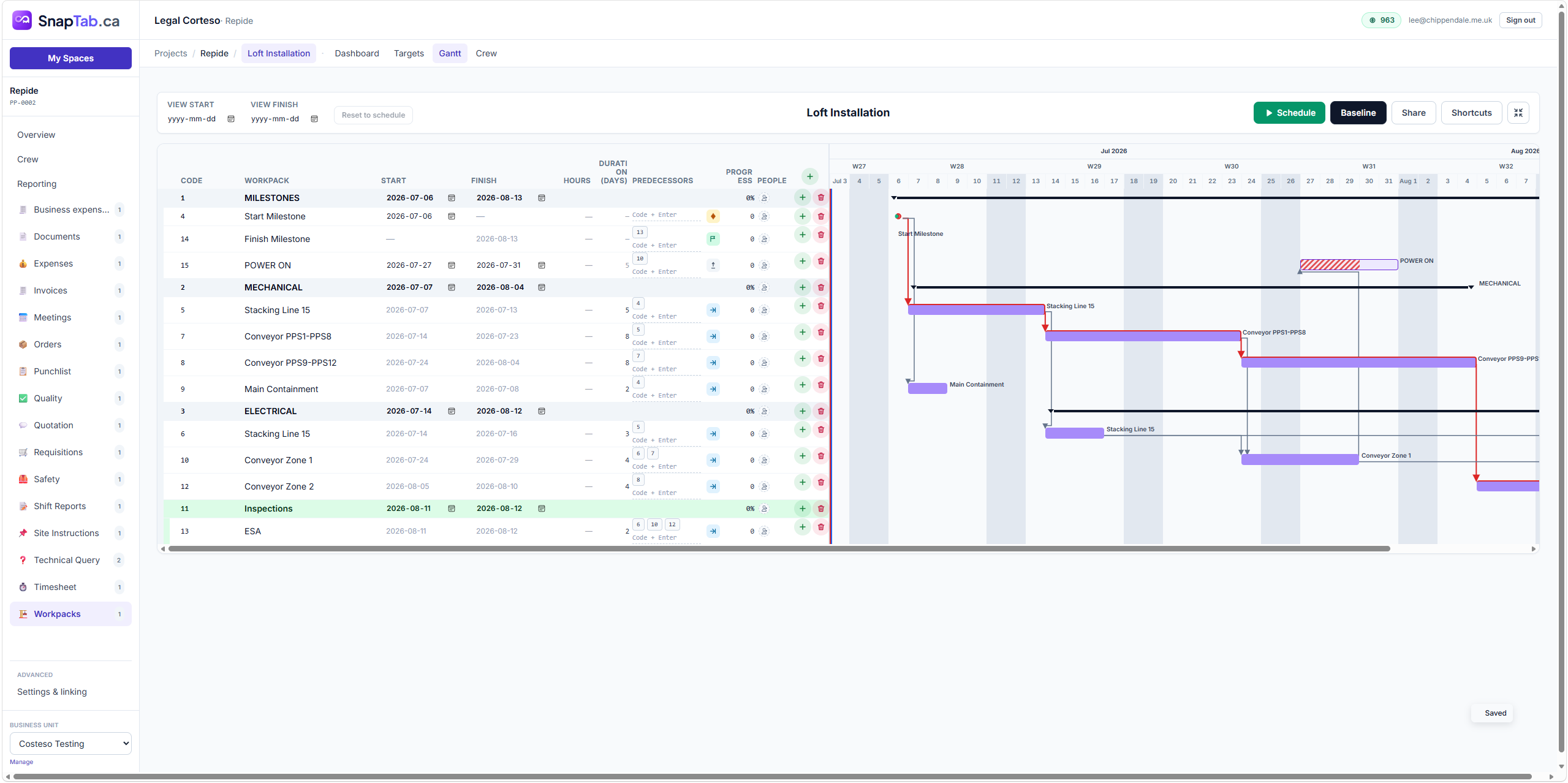
Real product screenshot — workpack scheduling with milestones, predecessors and baselines.
Why SnapTab Projects
Projects don't fail in one place. They fail in the gaps.
A quote lives in one system, timesheets in another, safety forms on paper, punchlists in spreadsheets and decisions in email. SnapTab closes the gaps by connecting every workflow to the project itself — so nothing is retyped, lost or out of date.
Connected, not bundled
Each Space is an independent, focused tool — quotations, safety, punchlists, timesheets. A project simply links the Spaces it needs, so teams work in tools built for their job.
No duplicate administration
Roll call feeds crew hours. Timesheets feed reporting. Quotes become orders and invoices. Enter information once and it flows through the whole project.
One live picture of the job
Dashboards and rollups pull from every linked Space, so managers see schedule, cost, safety and quality in real time — without chasing updates.
connected Space types to enable per project
shared source of truth for the whole team
retyping between quotes, orders, timesheets and reports
to launch a new project — not weeks of setup
How Projects work
A project is a hub. Spaces do the work.
Unlike traditional project software, a SnapTab project doesn't try to contain every feature itself. It connects independent Spaces — each one a complete tool — into a single workspace with shared crew, navigation and reporting.
-
1
Create a project
Give it a name, client and site. You get a project dashboard with its own ID and crew list in seconds.
-
2
Enable the Spaces you need
Link a Safety Space for the site, a Quotation Space for the bid, Shift Reports for the field team — or any of 15+ Space types. Skip what you don't need.
-
3
Run the whole job from one place
Everyone works in the Spaces built for their role, while dashboards, reporting and rollups keep the full project view live.
…plus Shift Reports, Technical Queries, Documents, Orders, Invoices, Site Instructions and more.
Connected Spaces
Enable the Spaces your project needs
Every Space is a complete, independent tool. Link them to a project and they share crew, context and reporting — a modular platform that grows with your business.
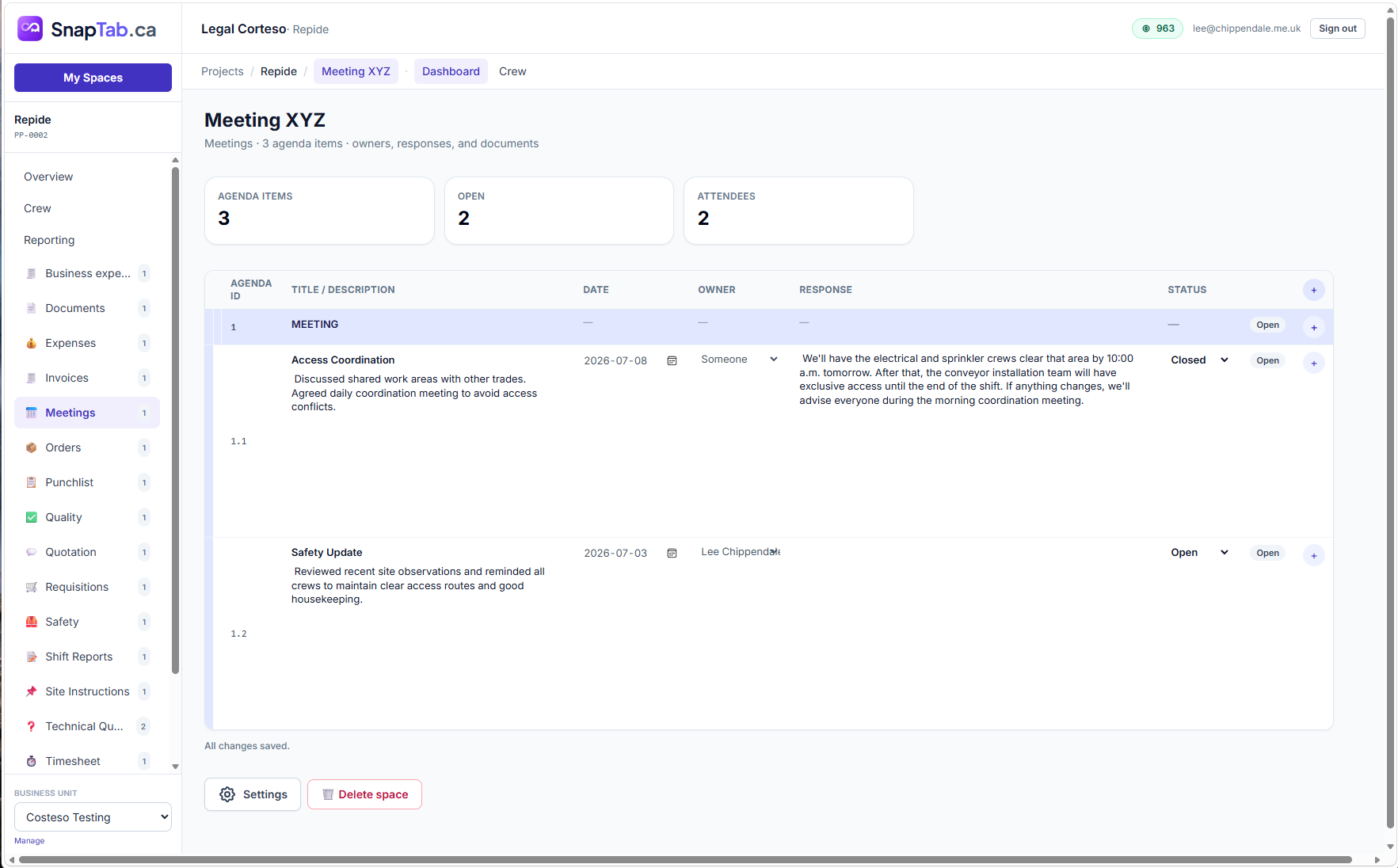
Meetings
Agendas, owners, responses and decisions — minuted as you go, never lost in email.
Safety
Daily roll call, certifications, FLHA & JHA forms, toolbox talks, incidents and inspections.
Quotations
Spreadsheet-style quote lines with labour, material, margin and sale totals — plus an AI quote builder.
Requisitions
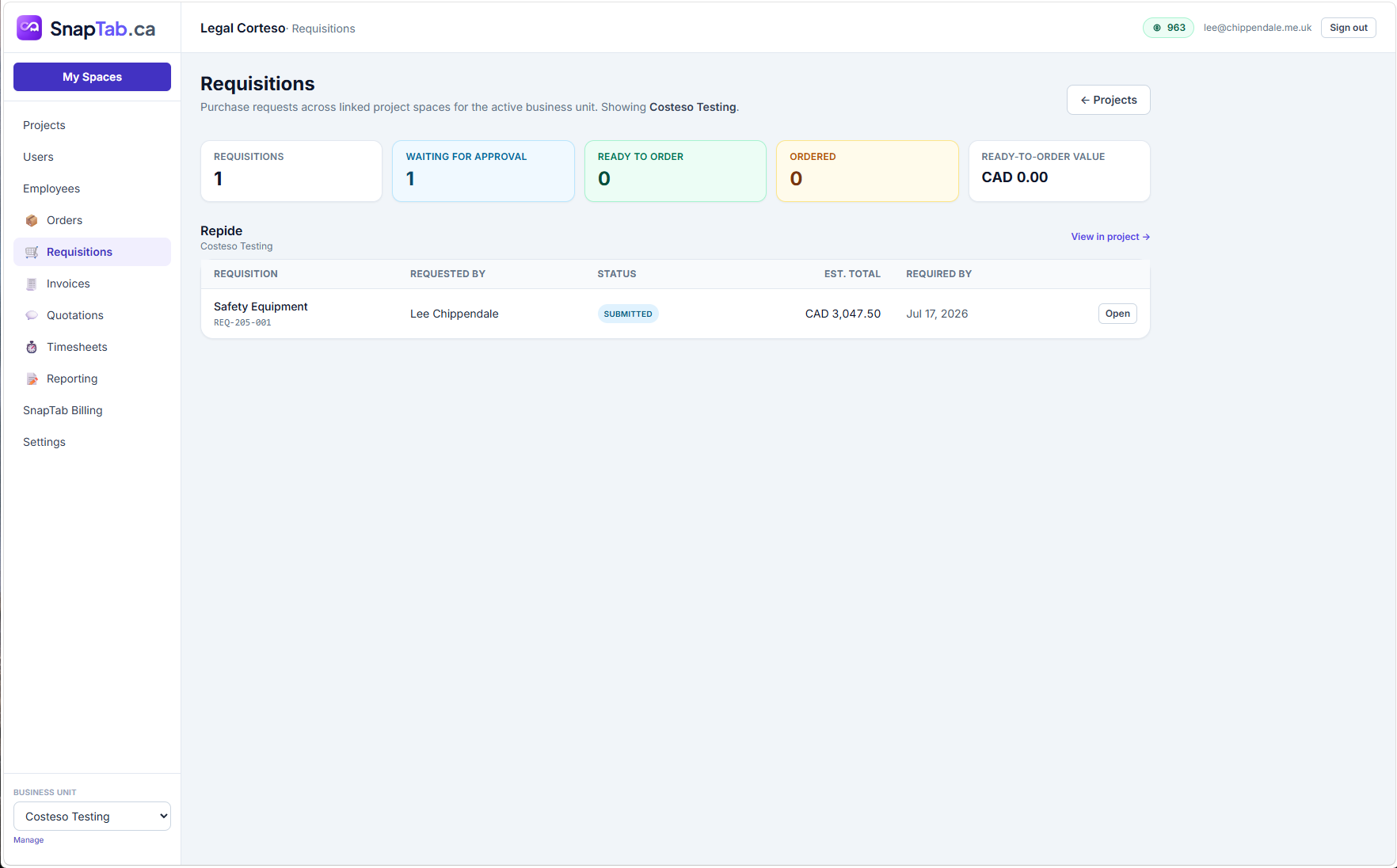
Purchase requests with line items, attachments and a proper approve / reject workflow.
Orders
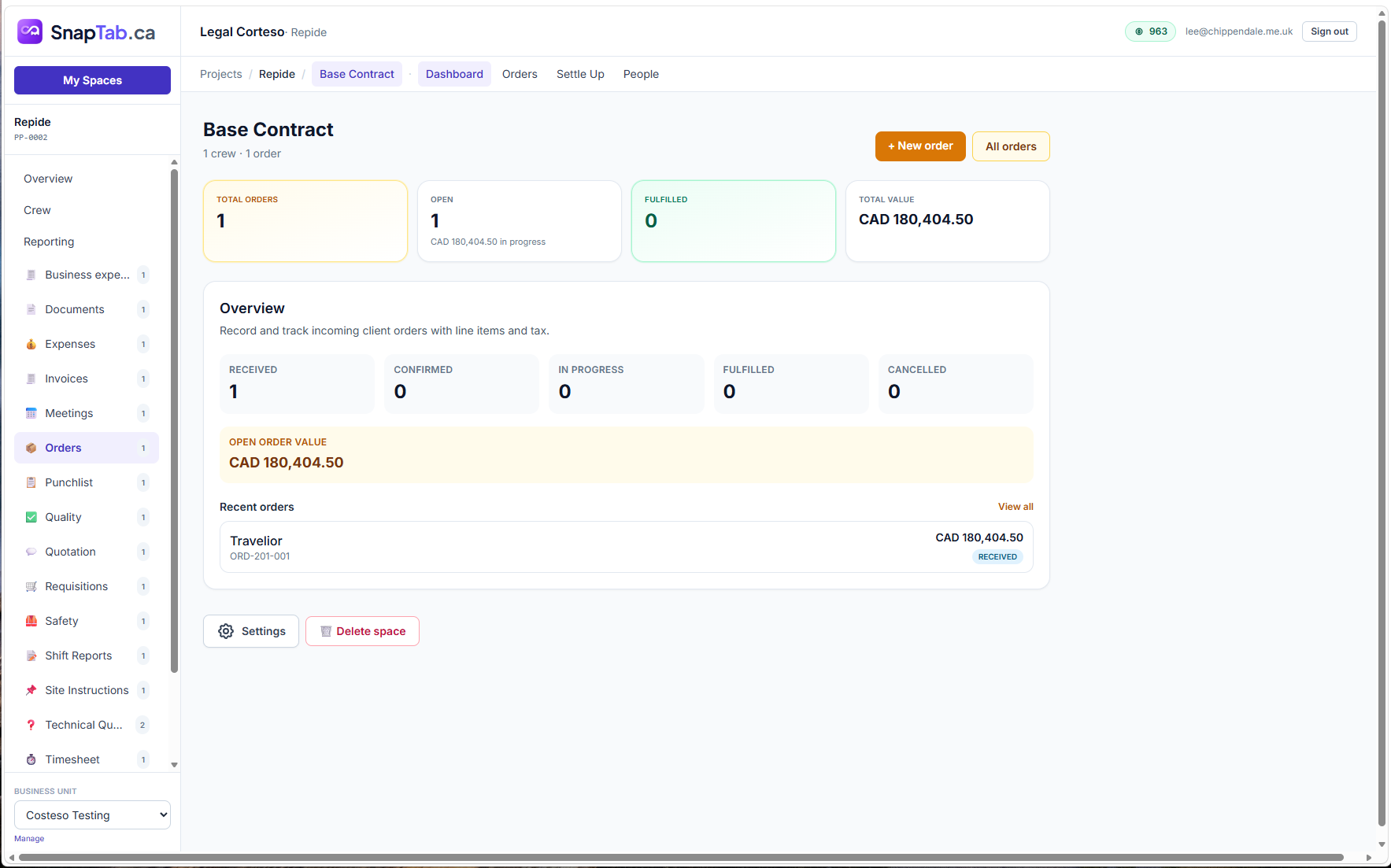
Track incoming client orders from received to fulfilled with live open-order value.
Punchlists
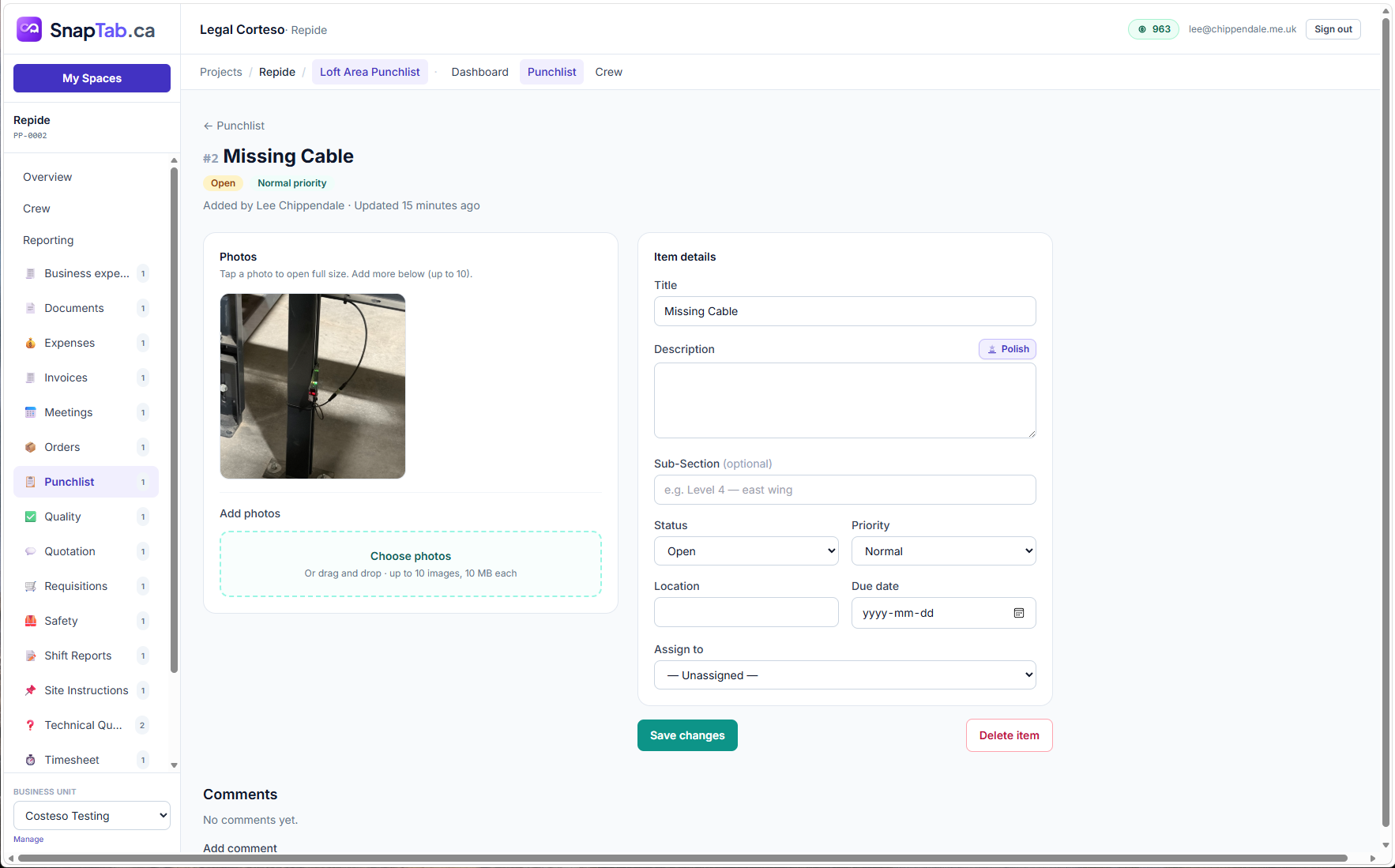
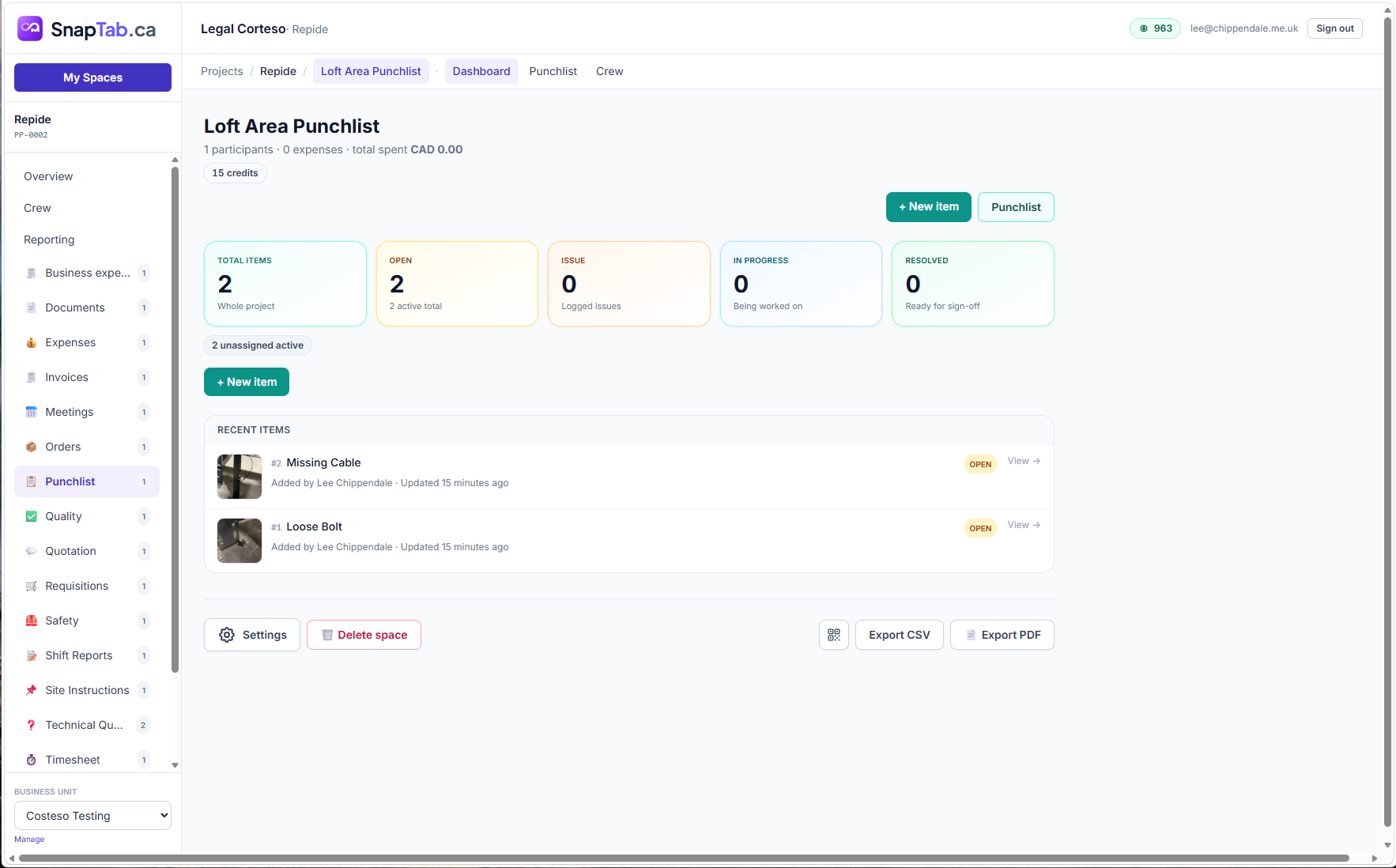
Deficiencies with photos, priorities, assignments and sign-off — exportable to CSV or PDF.
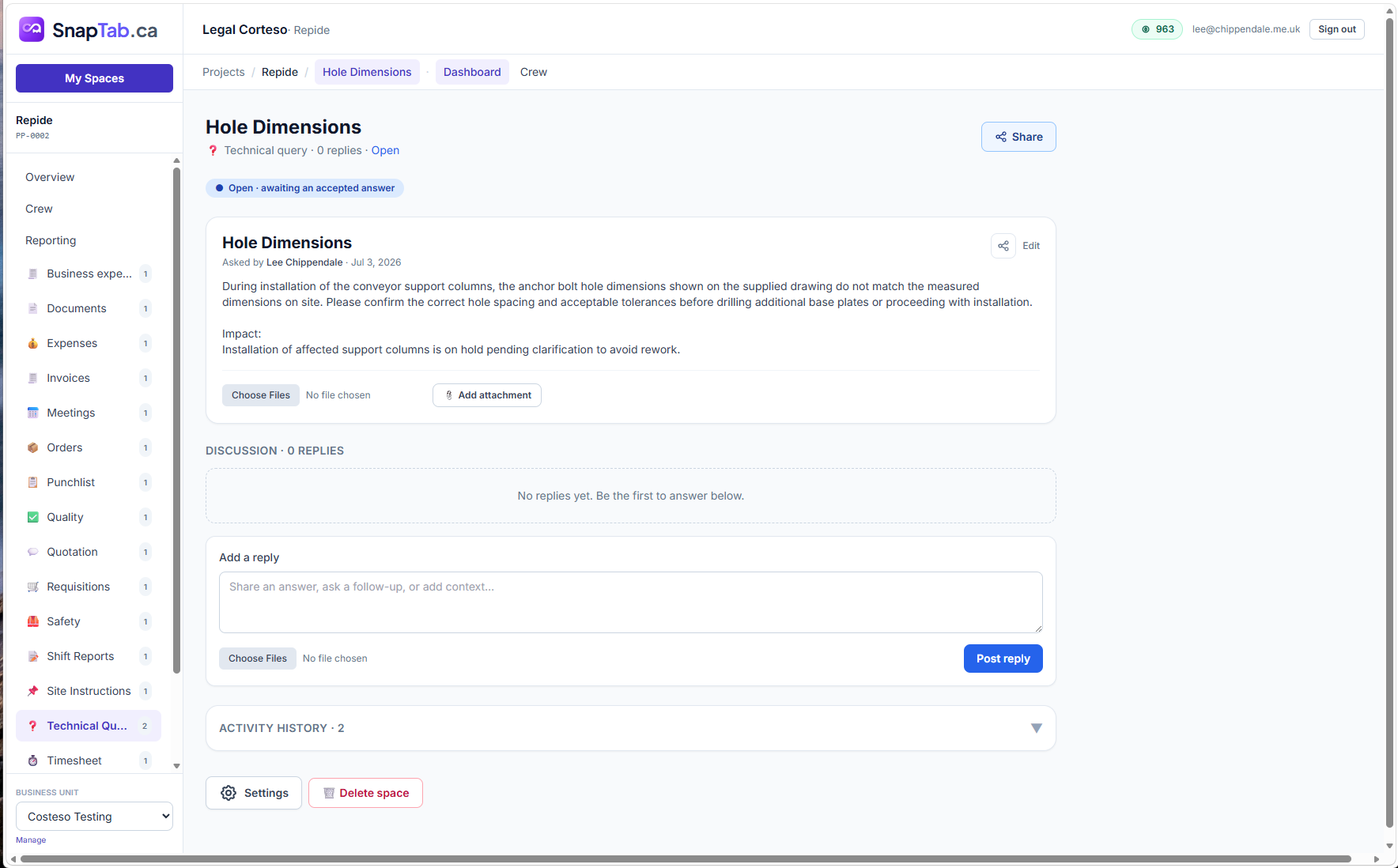
Technical Queries
Formal question-and-answer threads with attachments, discussion and full activity history.
Shift Reports
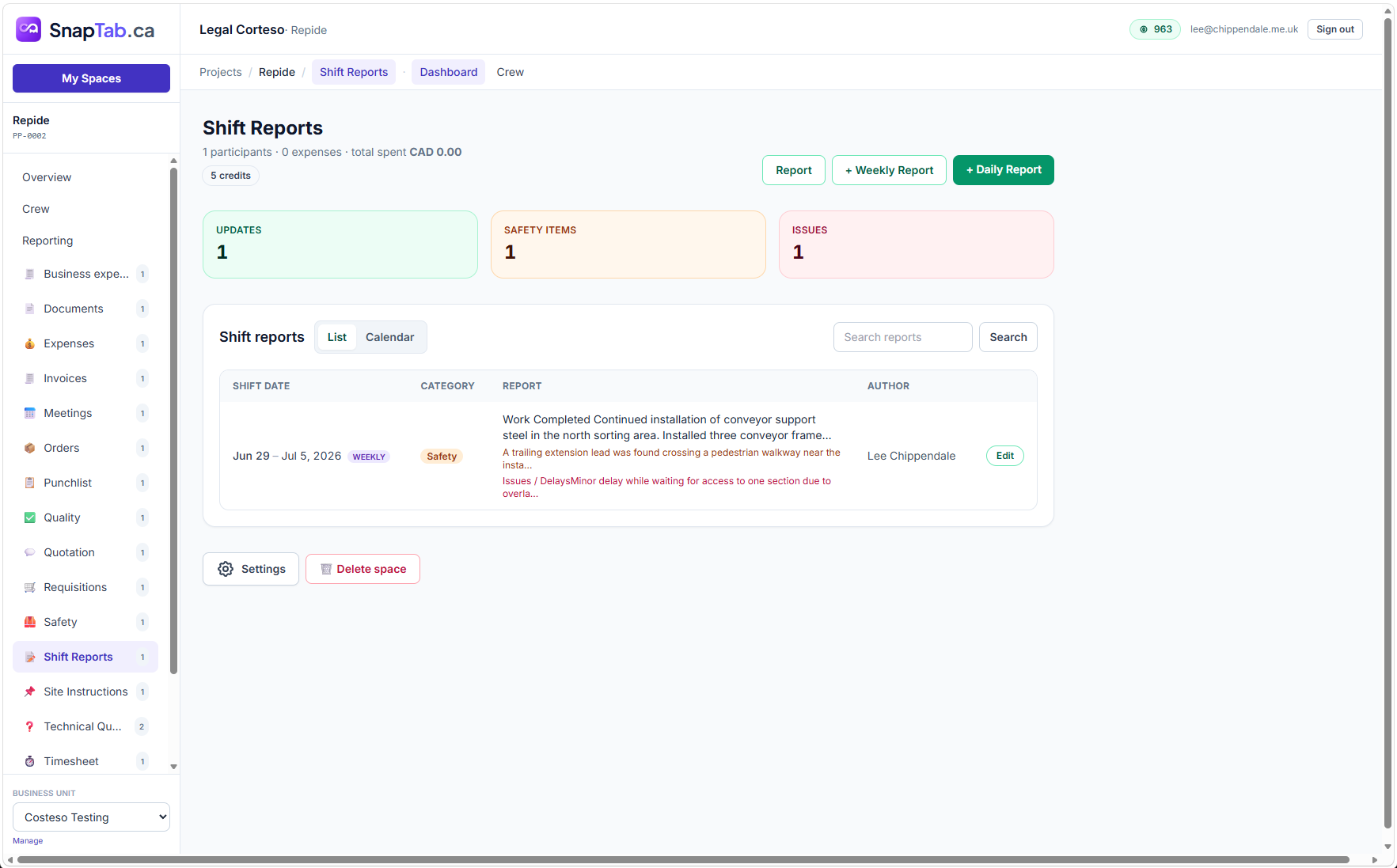
Daily and weekly field reports: work completed, plan for next shift, safety items and issues.
Workpacks
Break the job into workpacks with Gantt scheduling, milestones, predecessors and baselines.
Timesheets
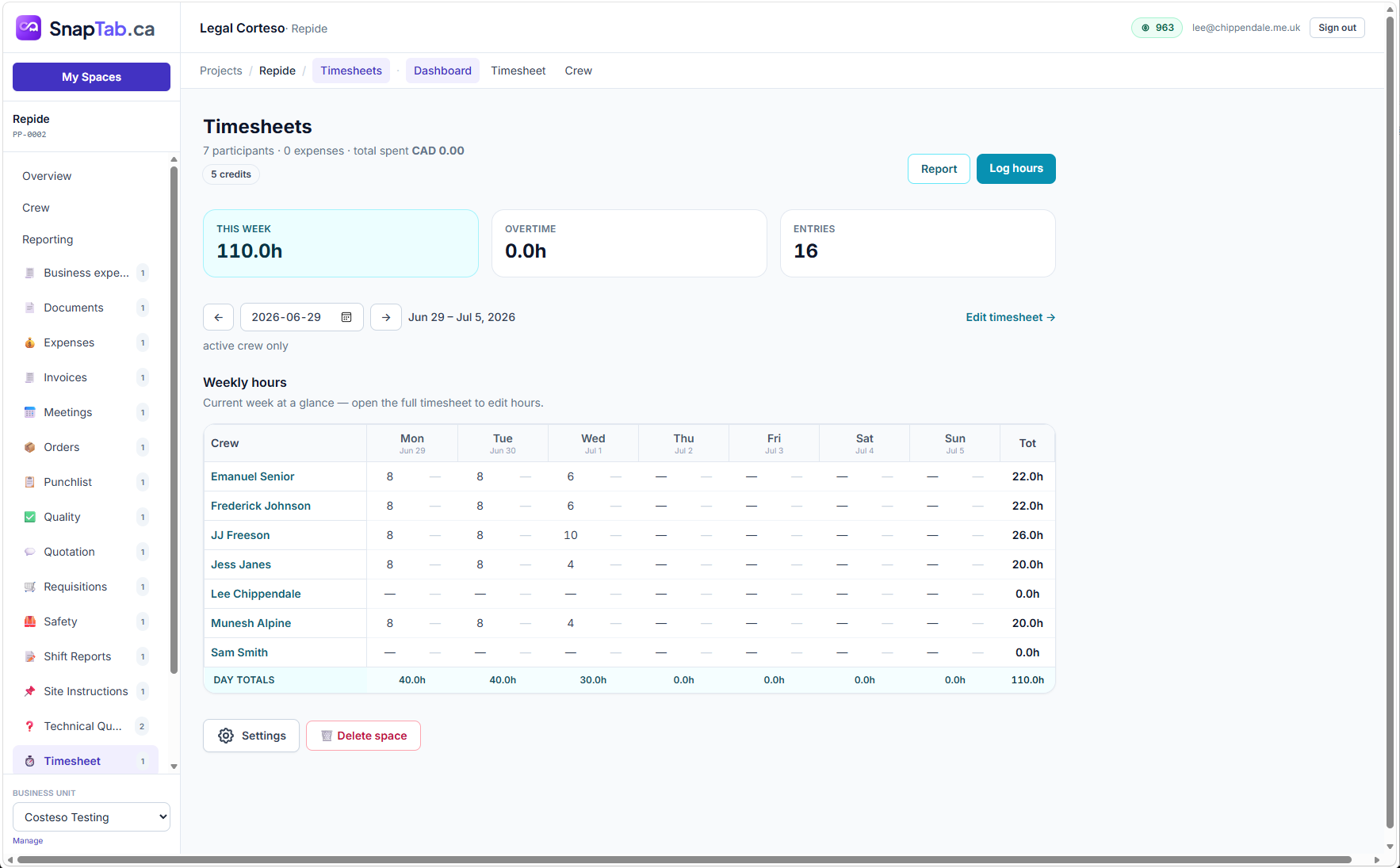
Weekly crew hours with overtime, linked to workpacks and roll call — export-ready.
Quality
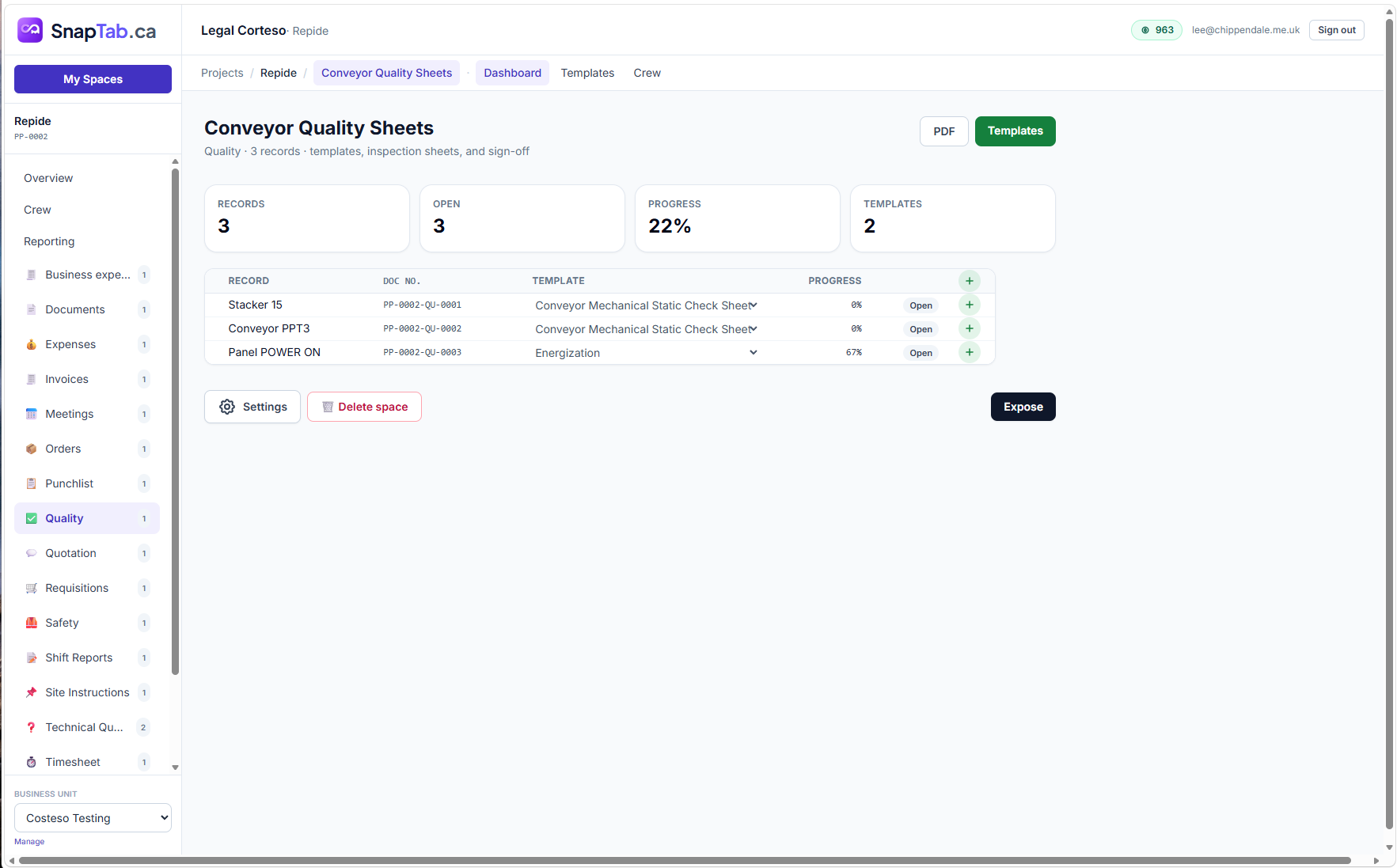
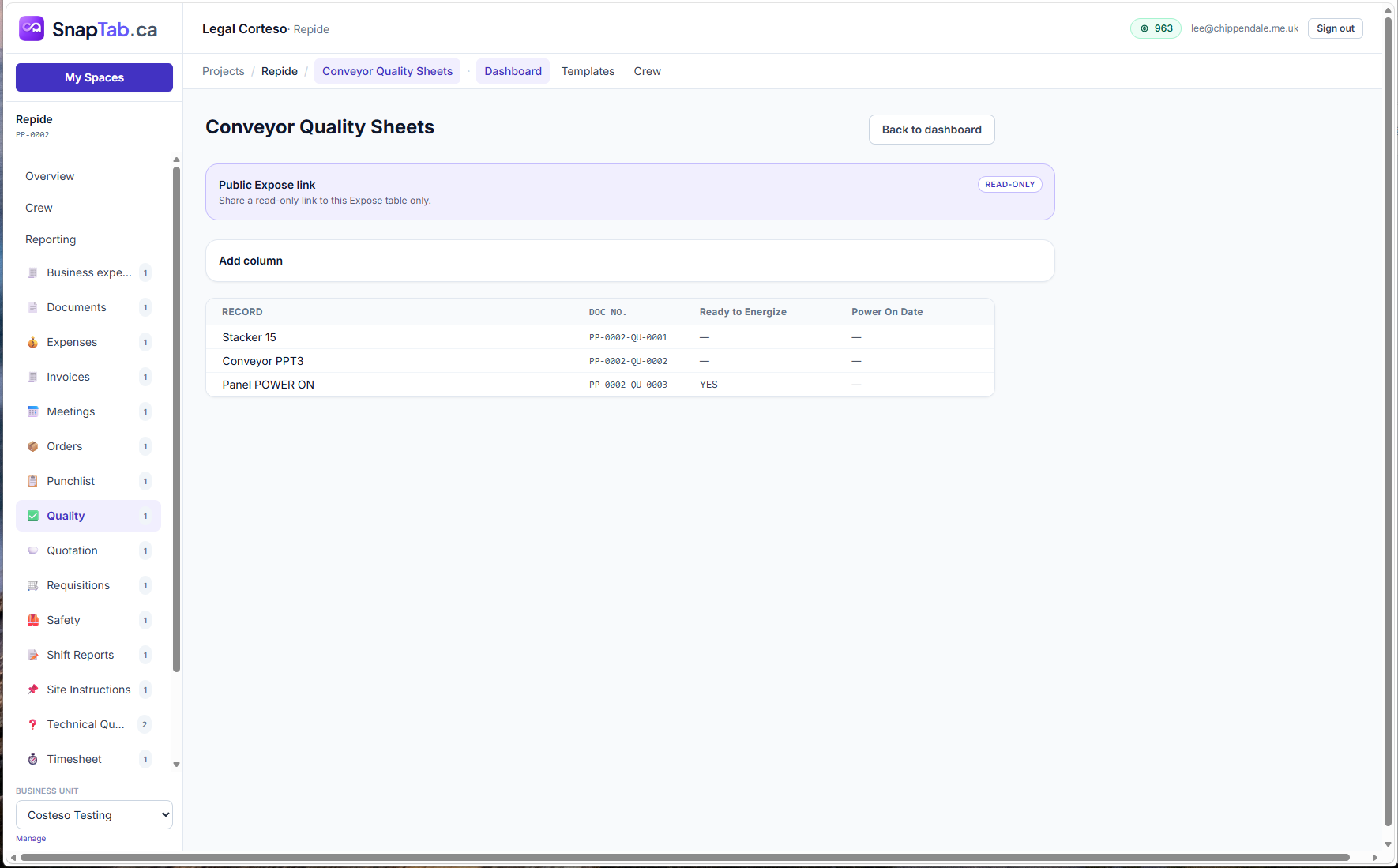
Inspection sheet templates, progress tracking, sign-offs and shareable read-only status tables.
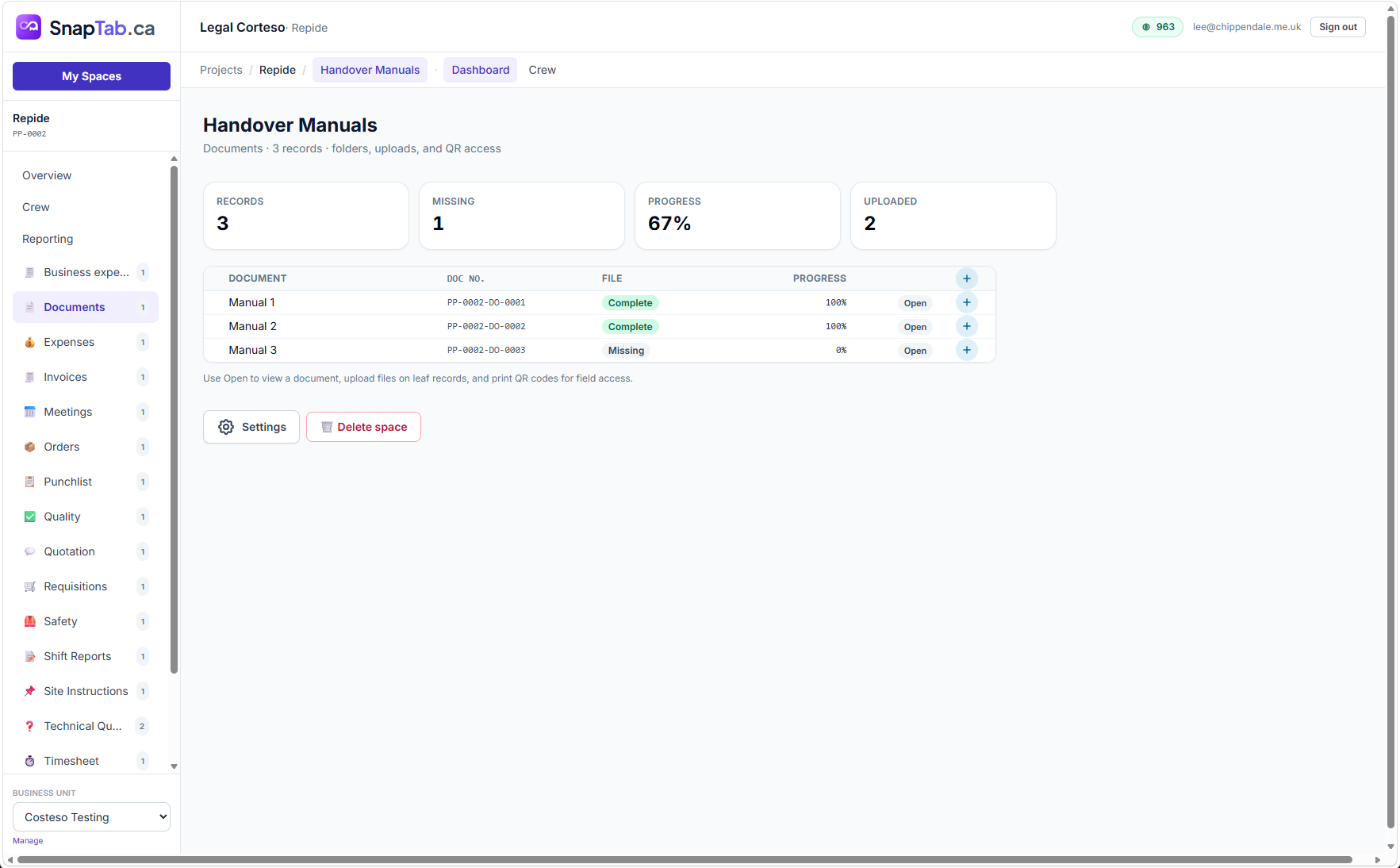
Documents
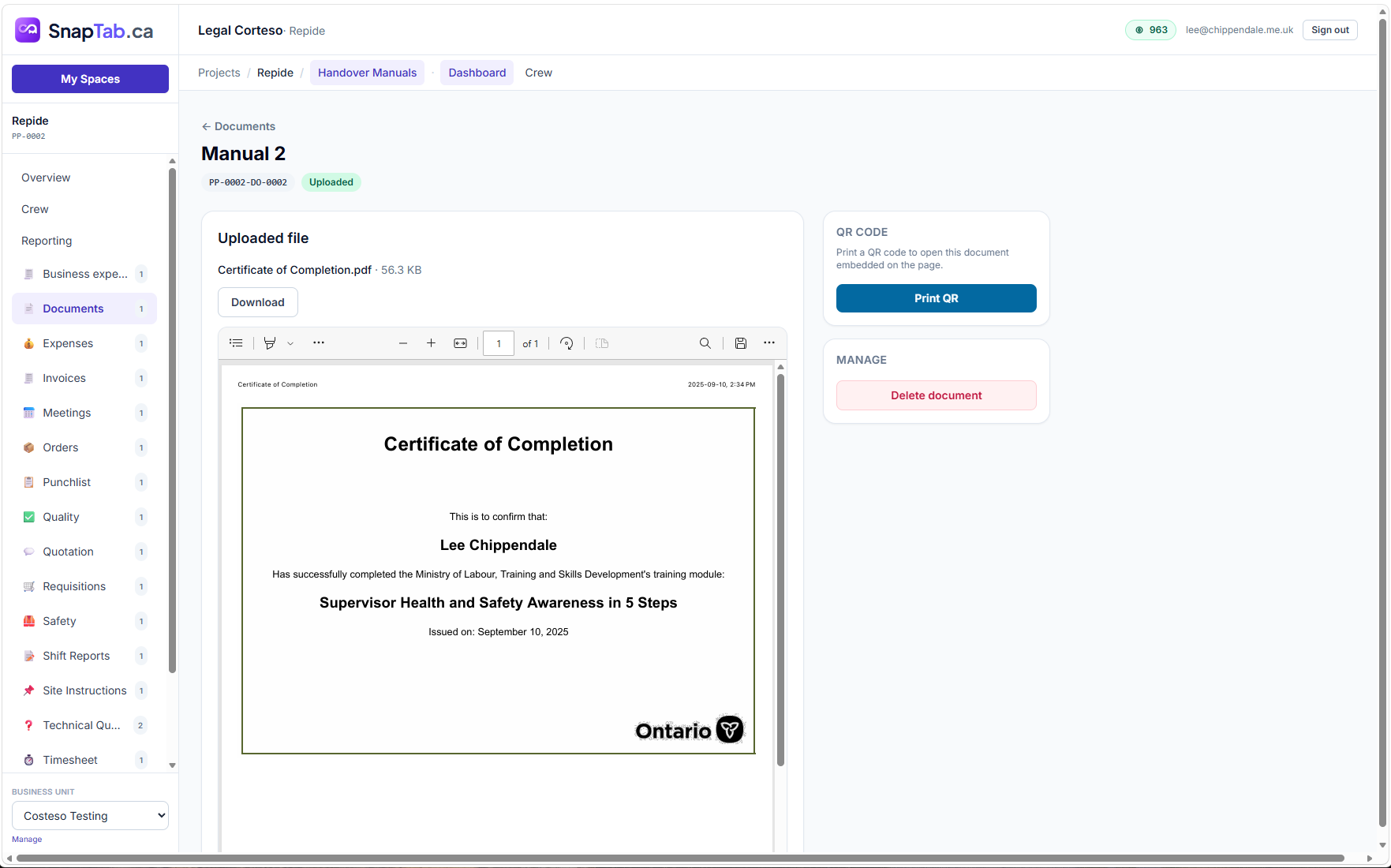
Registers for handover manuals and site documents with upload progress and QR-code field access.
Invoices
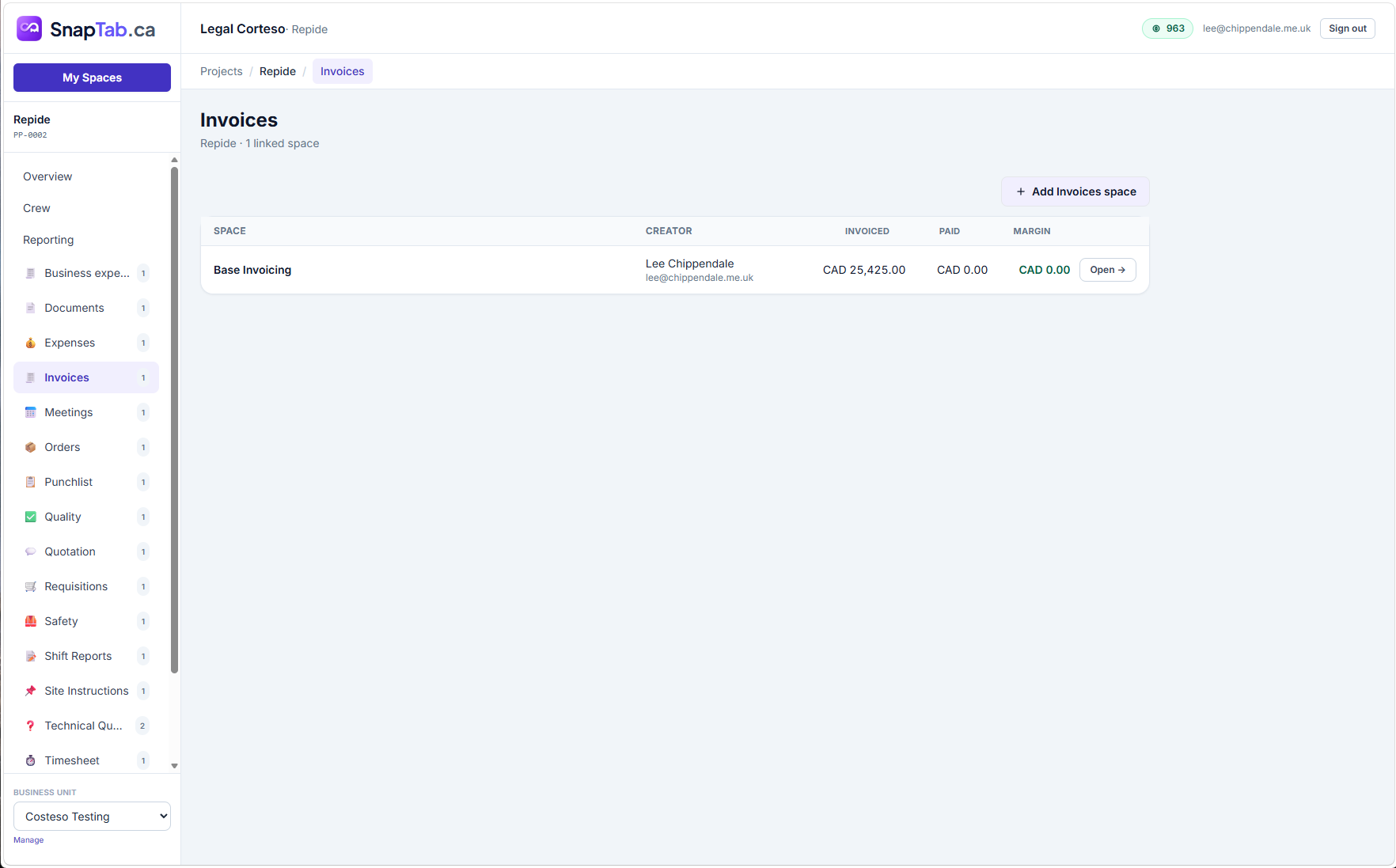
Client invoicing with paid tracking and margin per space.
Site Instructions
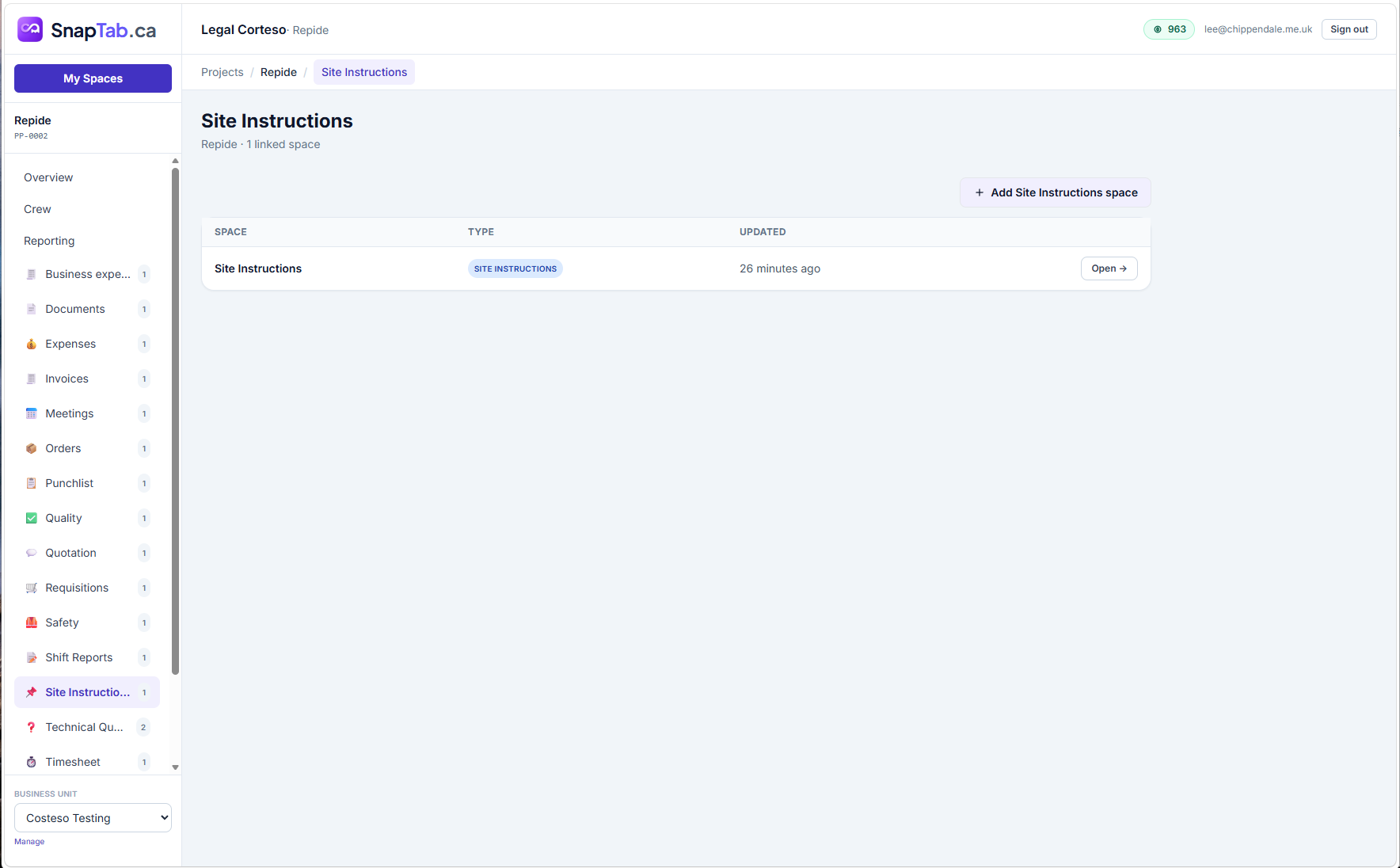
Formal site instructions issued, tracked and linked to the project record.
Expenses
Project expenses and receipts, with AI receipt scanning built in.
Feature highlights
Built for real-world project delivery
Every project, every Space, one portal
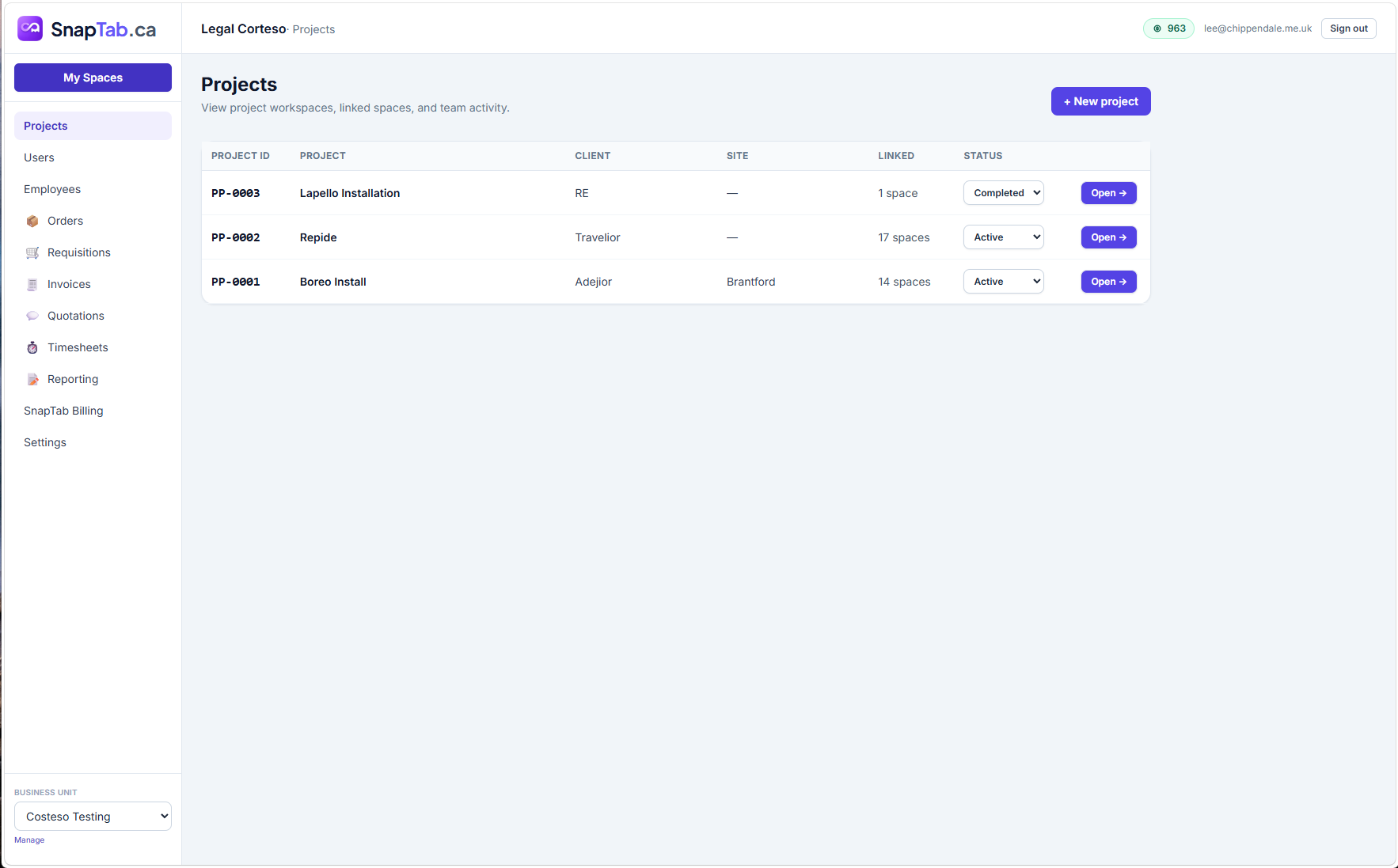
The Projects portal lists every project with its client, site, status and linked Spaces. Open a project and its sidebar shows exactly which Spaces are enabled — expenses, documents, meetings, safety and more — with live counts.
- Project IDs, clients and sites at a glance
- Linked-Space navigation inside every project
- Business-unit portal for users, employees and billing
Safety built into every site
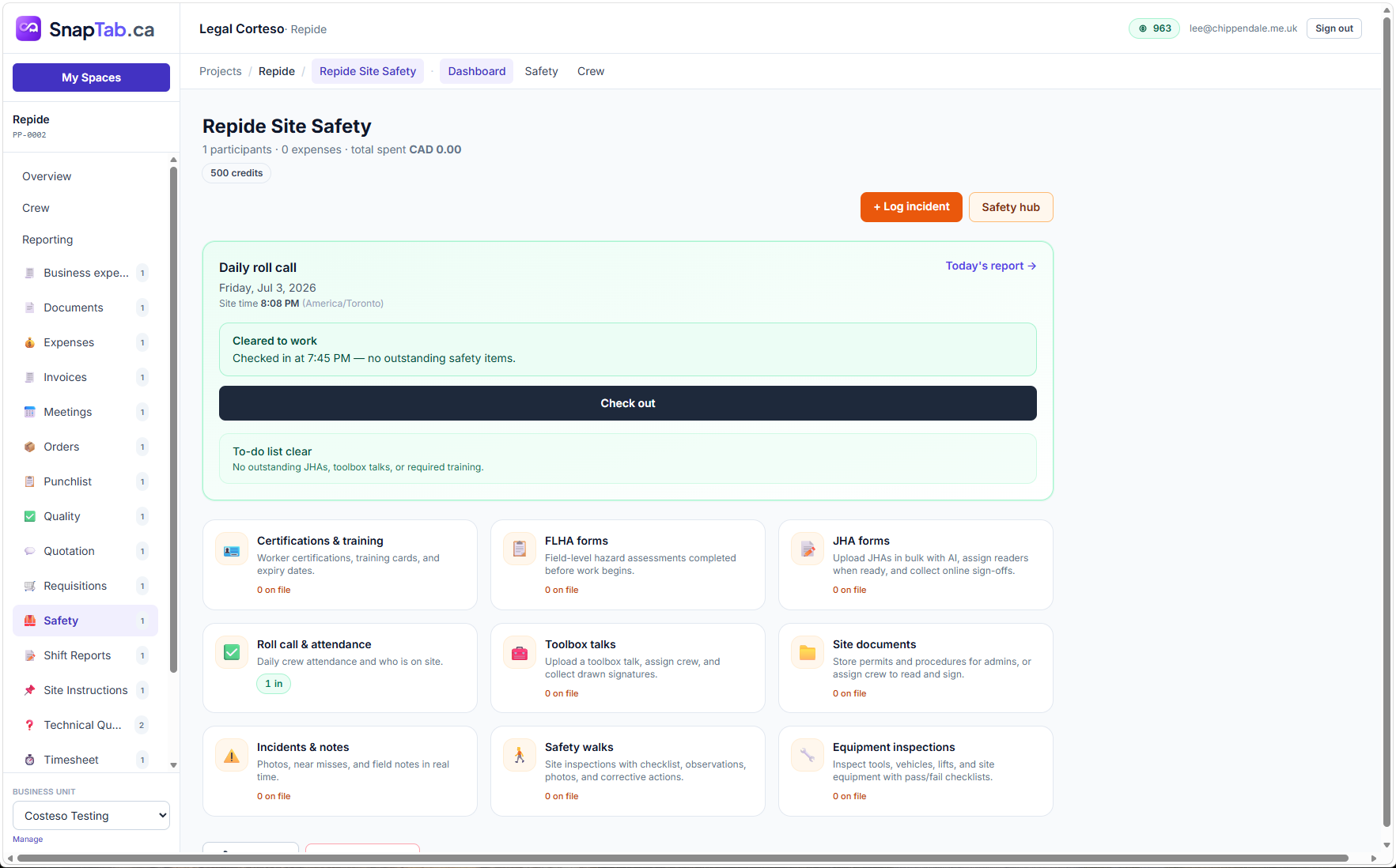
Link a Safety Space and the site gets daily roll call, certifications, FLHA and JHA forms, toolbox talks, incident logging and equipment inspections — with attendance feeding straight into crew hours.
- Daily roll call with check-in and check-out
- Certifications, FLHA & JHA forms and toolbox talks
- Incidents, safety walks and equipment inspections
From quotation to order to invoice
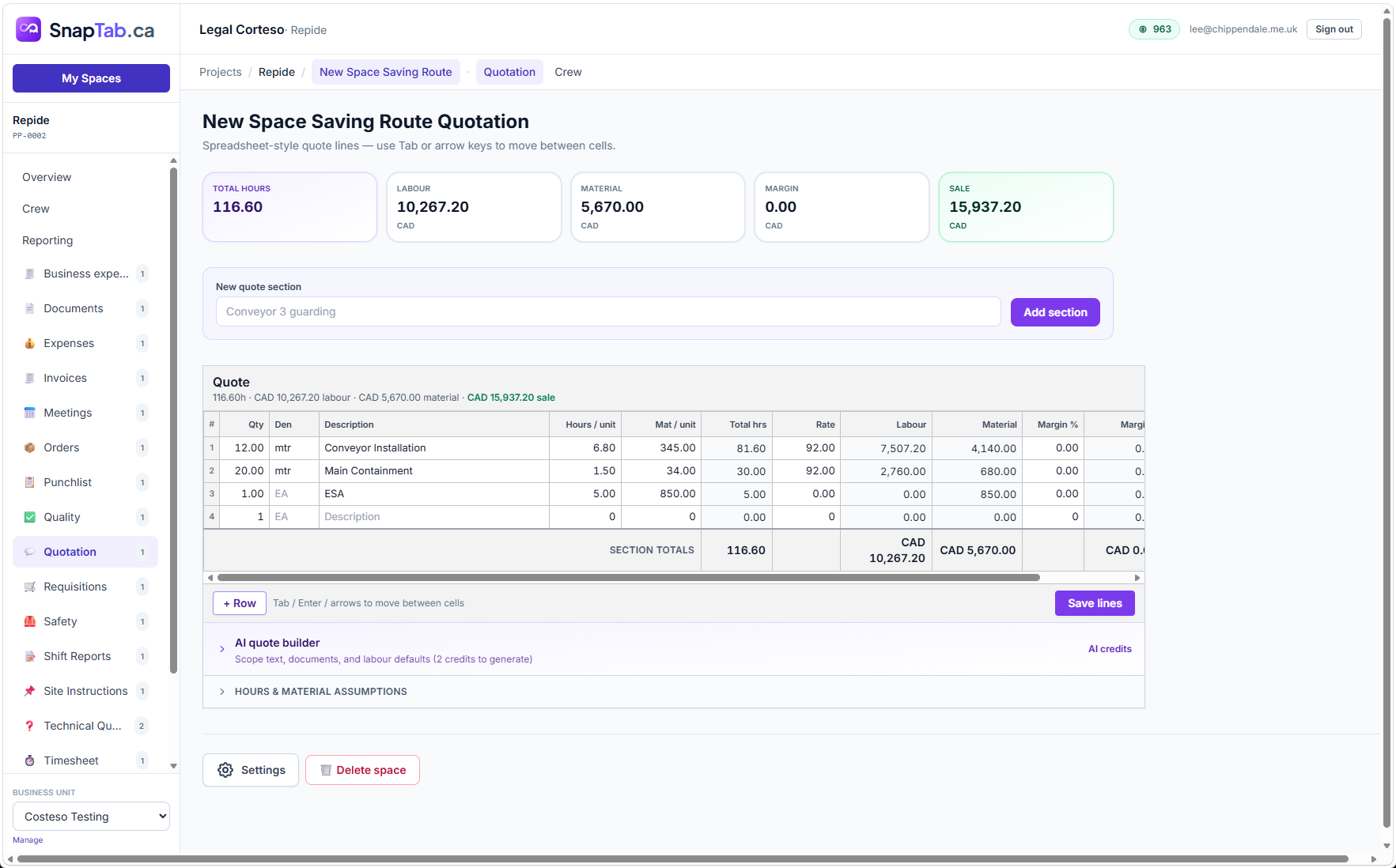
Build quotes in a fast spreadsheet-style editor with labour, material and margin per line. Won work becomes orders you track to fulfilment, and invoices with paid status and margin — all linked to the same project.
- Live totals: hours, labour, material, margin, sale
- Client orders from received to fulfilled
- Invoiced, paid and margin rollups per project
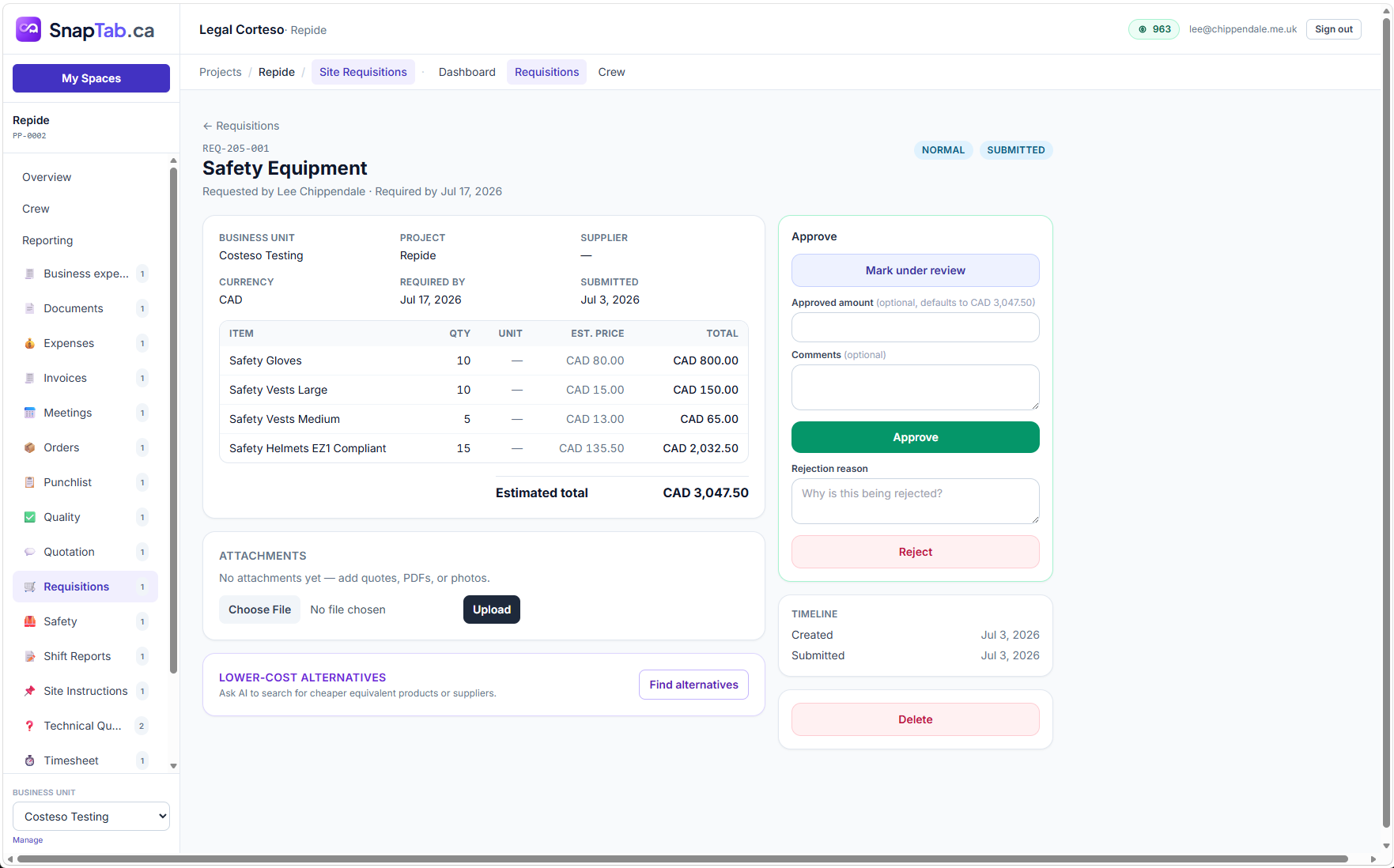
Requisitions with proper approvals
Field teams raise purchase requests with line items and attachments. Approvers review, adjust amounts, approve or reject with reasons — and business-unit rollups show everything waiting for approval across all projects.
- Line items with estimated totals
- Approve, reject or mark under review
- Cross-project rollup of requisition status and value
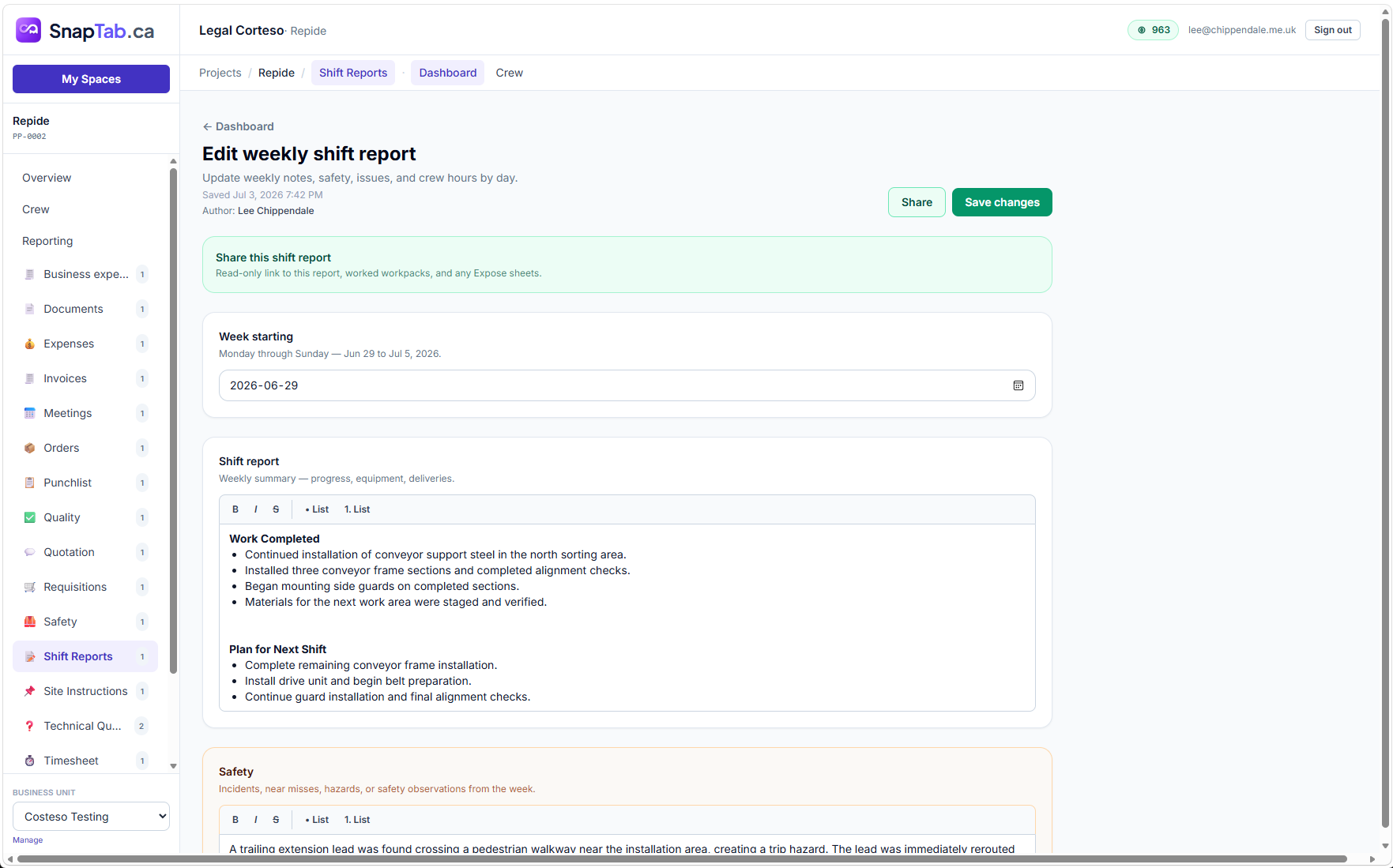
Shift reports the field team actually fills in
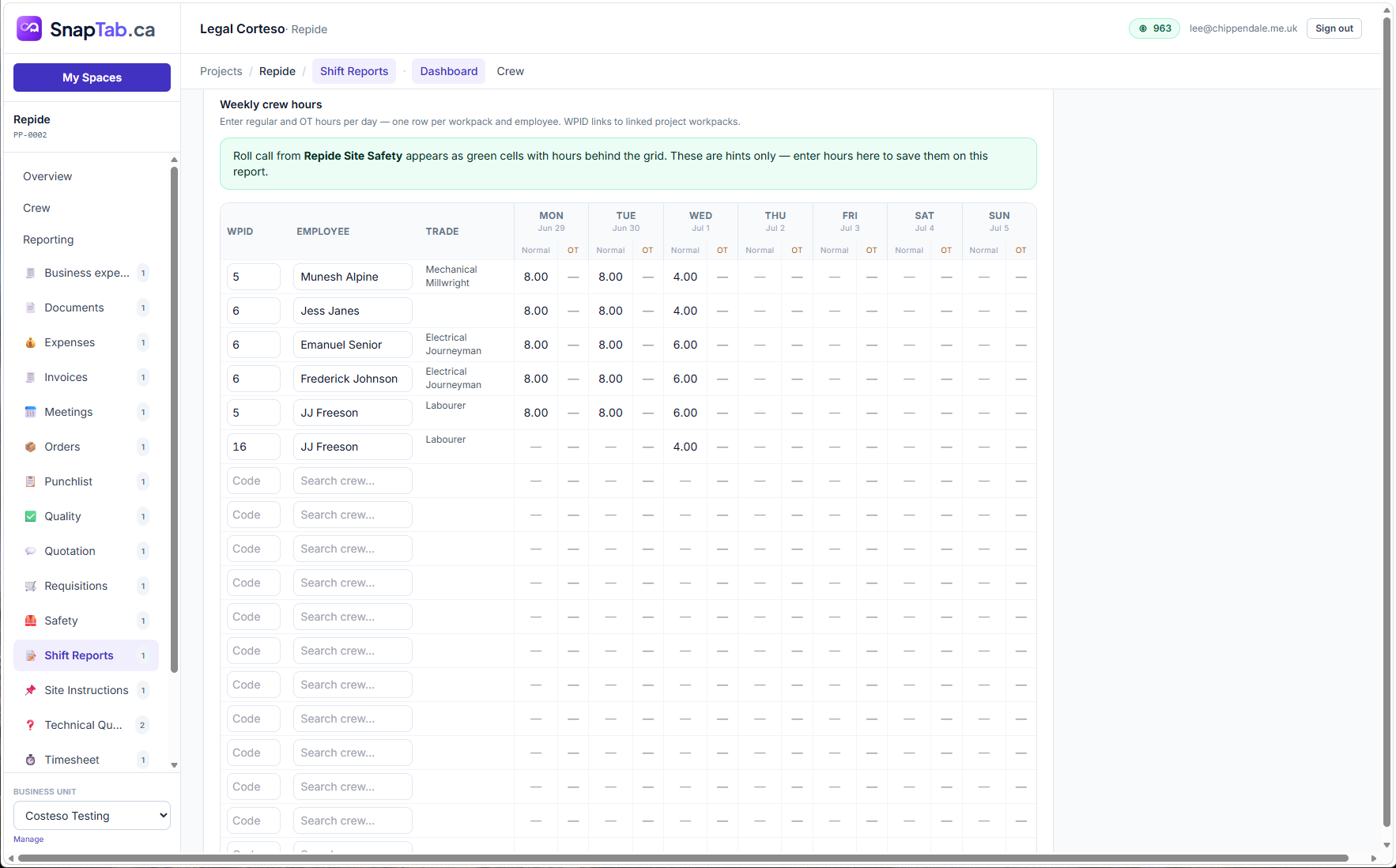
Daily and weekly reports capture work completed, the plan for the next shift, safety items and issues. A crew-hours grid links each row to a workpack and pre-fills hints from roll call.
- Rich weekly summaries with safety and issue tracking
- Crew hours per workpack per day
- Read-only share links for clients and stakeholders
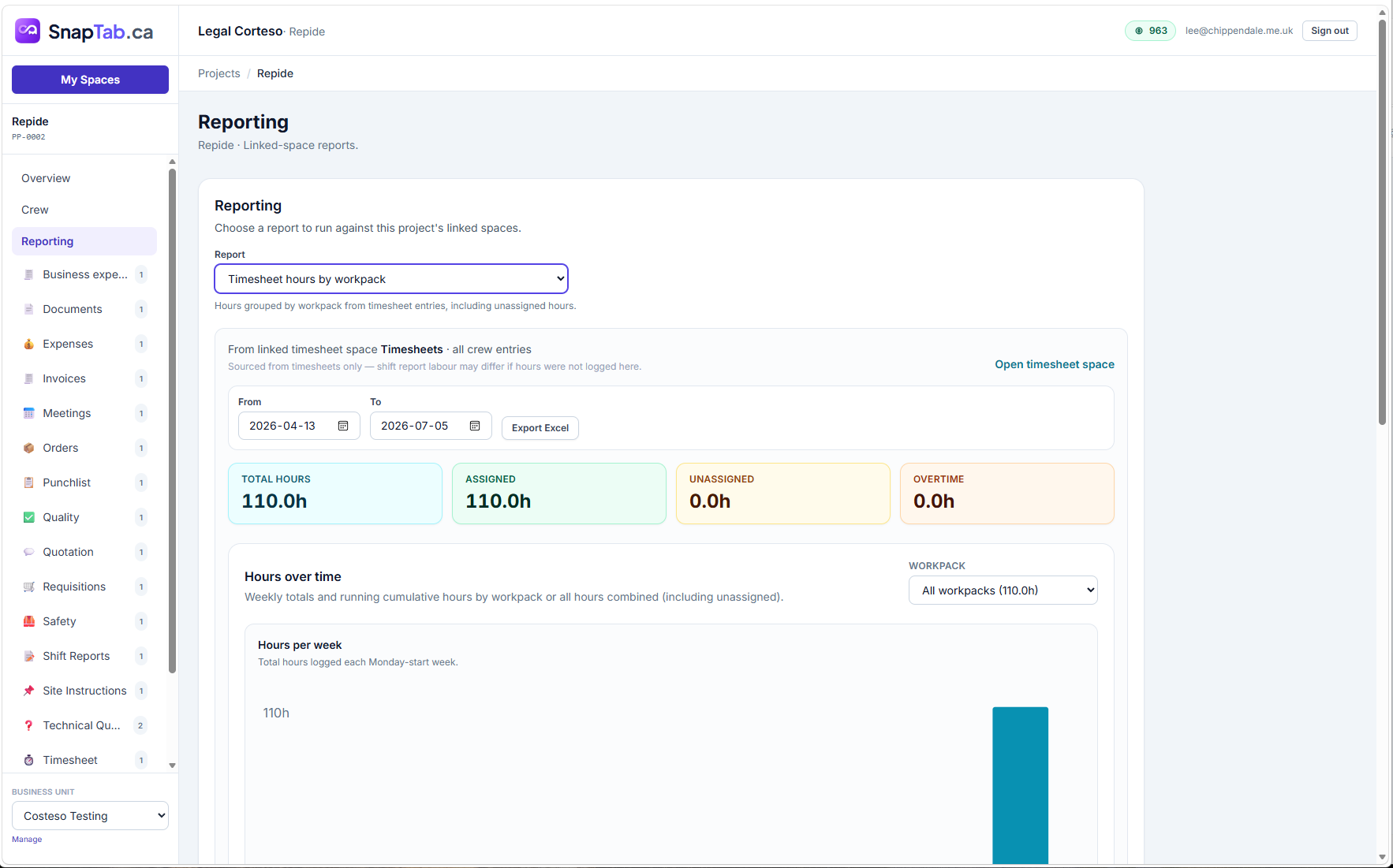
Live reporting across every linked Space
Run reports against the project's linked Spaces — timesheet hours by workpack, requisition status, invoiced versus paid. Roll it up per project or across the whole business unit, and export to Excel when you need it.
- Timesheet hours by workpack with weekly charts
- Business-unit rollups for orders, requisitions, invoices and quotes
- One-click Excel export
AI capabilities
AI where it saves time — not where it gets in the way
SnapTab uses AI for the tedious parts of project administration, so your team spends less time typing and more time delivering.
AI quote builder
Feed it scope text and documents and it drafts quote sections and lines with labour defaults — ready for you to review and refine.
Lower-cost alternatives
On any requisition, ask AI to search for cheaper equivalent products or suppliers before you approve the spend.
Receipt & document scanning
Snap a receipt or upload documents and AI extracts the details — expenses and registers fill themselves in.
Writing assistance
Polish punchlist descriptions, generate quality templates from documents, and upload JHAs in bulk with AI-assisted processing.
See it in action
Real screenshots from real projects
Industries
Made for teams that deliver in the real world
If your work has crews, sites, clients and deadlines, SnapTab Projects fits — and because it's modular, it adapts to any business that manages projects.
Construction
Punchlists, site safety, shift reports, workpack scheduling and handover documentation — the whole job in one place.
Engineering
Technical queries, quality inspection sheets, document registers and meeting minutes with full traceability.
Industrial Automation
Energization checklists, conveyor quality sheets, commissioning workpacks and client-visible progress tables.
Manufacturing
Orders from received to fulfilled, requisitions with approvals, timesheets and shop-floor quality records.
Field Service
Crews on site with roll call, daily reports, photos and timesheets — visible to the office in real time.
Any project business
Agencies, installers, integrators, consultancies — enable the Spaces that match how you work.
We stopped juggling five systems. Quotes, requisitions and timesheets finally talk to each other, and month-end reporting went from days to minutes.
The field crew actually uses it. Roll call, shift reports and punchlist photos come straight from site — no more chasing paperwork on Fridays.
Being able to send a client a live read-only link to quality status instead of a weekly PDF changed how we run commissioning.
FAQs
Frequently asked questions
What exactly is a Space?
Is this another task manager or Kanban board?
Do we have to use every Space?
Can clients, suppliers and subcontractors see anything?
Does it work in the field, on phones and tablets?
How does pricing work?
Can we manage multiple projects and teams?
How long does it take to get started?
Replace disconnected spreadsheets, emails and systems with one connected platform
Create your account, launch your first project and enable the Spaces your team needs — all in minutes. SnapTab grows with your business, one Space at a time.
Already using SnapTab? Sign in